

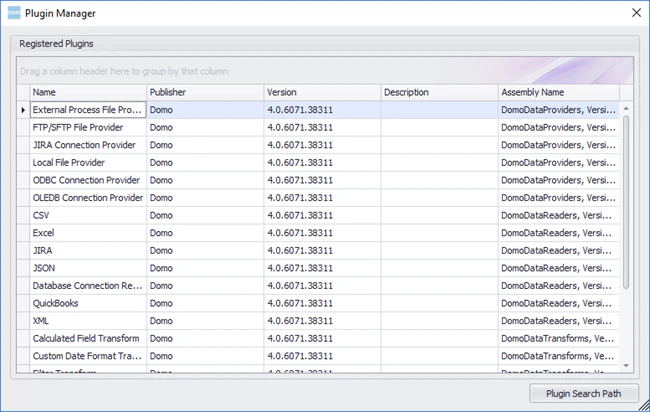
In Workbench 4’s Plugin Manager you can view registered plugins, add plugins, and remove installed plugins. All Workbench plugins are contained within Dynamic Link Libraries (DLLs). In the Plugin Manager, you can click a DLL file name to show the plugins within it. These are shown by type and name. For example, in the following screenshot, the user has clicked the DLL file DomoDataProviders.dll to show the plugins contained within it. All of these plugins are of the “Transport Method” type.Documentation Index
Fetch the complete documentation index at: https://domoinc-arun-raj-connectors-domo-479583-raisers-edge-connec.mintlify.app/llms.txt
Use this file to discover all available pages before exploring further.
- Click Plugin Manager in the More tab at the top of the Workbench window. The Plugin Manager opens.
- Click Add Plugin.
- On your machine or network, locate and open the DLL containing the plugins you want to add.
- Click Plugin Manager in the More tab at the top of the Workbench window. The Plugin Manager opens.
- Select the DLL file with the plugins you want to remove.
- Click Remove Plugin.
- Click Yes to confirm.