

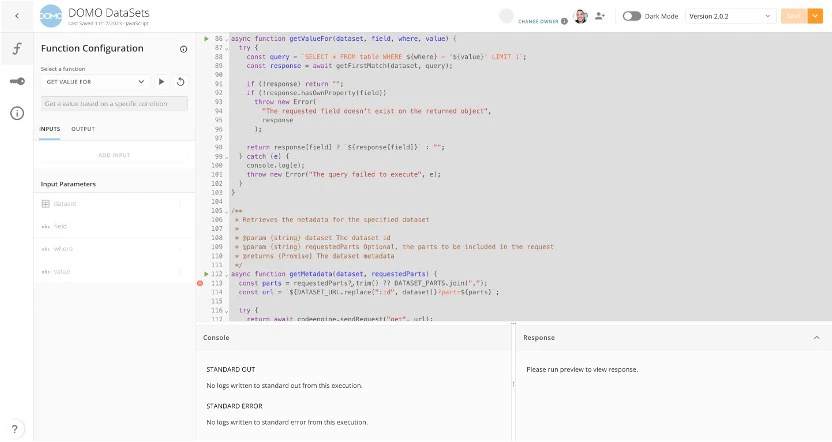
Domo Code Engine is a Domo-native runtime environment that executes JavaScript or Python code. It allows you to write, test, and distribute functions for use in Workflows and other Domo Apps. Code Engine provides a library of general packages for common integrations and services, and you can also create custom functions for automated services in your instance.Documentation Index
Fetch the complete documentation index at: https://domoinc-arun-raj-connectors-domo-479583-raisers-edge-connec.mintlify.app/llms.txt
Use this file to discover all available pages before exploring further.
Required Grants
To use Code Engine, users need specific grants:- Manage Code Engine Packages: Perform any action on any Code Engine package (for admins/managers).
- Create Code Engine Packages: Create new Code Engine packages (for developers).
Note: Contact your Domo account team to enable these grants. Users must also have permission to specific packages to interact with them.
Accessing Code Engine
- In the navigation header, select More > Workflows to open the Workflows landing page.
- In the left navigation, select Code Engine.
Home Page & Repository List
The home page features a repository list of all Code Engine packages you can access. Each row represents a package with columns for:- Package Name/Description
- Owned By
- Runtime (JavaScript or Python)
- Last Saved
- Created